
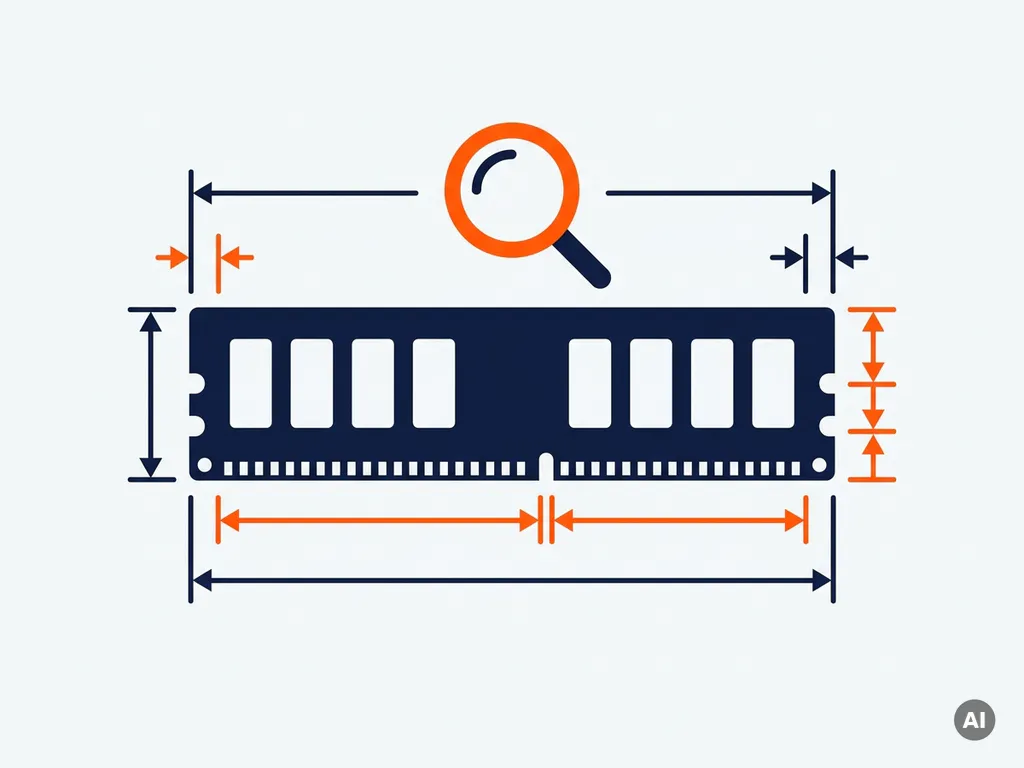
To identify the correct server RAM part number, look for the label printed directly on the RAM stick: it contains the manufacturer part number (MPN), which you can then cross-reference with your server’s qualified vendor list (QVL) or memory configurator. For servers from vendors like Dell, HPE, or Lenovo, the part number on the DIMM itself may differ from the server-specific OEM part number you need to order. The sections below walk through every method you can use to find, decode, and verify the right server memory part number.
Where do I find the part number on a RAM stick?
The part number on a RAM stick is printed on the label affixed to the top of the DIMM. This label typically contains the manufacturer’s part number (MPN), the memory capacity, speed, and sometimes the serial number. On most sticks, the MPN is the longest alphanumeric string on the label, often starting with letters that identify the manufacturer.
Here is what to look for on the label:
- Manufacturer part number (MPN): The primary identifier used for ordering and compatibility checks
- Capacity: Expressed in GB (for example, 32GB or 64GB)
- Speed rating: Such as DDR4-3200 or DDR5-4800
- Rank and width: Often shown as 2Rx4 or 1Rx8
- Serial number: Unique to the individual stick, not used for ordering
If the label is worn or illegible, you can retrieve the part number electronically using system tools, which is covered in a later section.
How do I decode a server RAM part number?
A server RAM part number encodes the memory’s key technical specifications in a structured string. Each segment of the part number tells you something specific about the module: its type, capacity, speed, form factor, rank configuration, and sometimes its intended platform or certification level.
Take a typical server DIMM part number such as MTA36ASF8G72PZ-3G2R (a Micron example). Breaking it down:
- Manufacturer prefix (MTA): Identifies Micron as the maker
- Width and ECC indicator (36): 36-bit wide, meaning it includes ECC
- Form factor (A): Registered DIMM (RDIMM)
- Capacity code (SF8G): Encodes the density per die and total capacity
- Speed suffix (3G2R): Indicates DDR4-3200 at a specific revision
The exact decoding logic differs between manufacturers: Samsung, SK Hynix, and Micron each use their own naming conventions. When in doubt, paste the full MPN into the manufacturer’s product page or a memory compatibility tool to confirm the specs.
What tools can identify server RAM automatically?
Several software tools and built-in utilities can automatically read and report your server’s installed RAM part numbers without you needing to physically inspect each stick. These tools query the DIMM’s SPD (Serial Presence Detect) chip, which stores the module’s specifications electronically.
Operating system tools
On Windows Server, open Command Prompt and run:
wmic memorychip get partnumber, manufacturer, capacity, speed
This returns the part number and key specs for every installed DIMM. On Linux, the command sudo dmidecode –type 17 provides detailed memory information including the part number field from the SPD chip.
Server management interfaces
Enterprise servers from Dell, HPE, and Lenovo expose memory details through their out-of-band management interfaces. Dell iDRAC, HPE iLO, and Lenovo XClarity all show installed DIMM part numbers under the hardware inventory section. These interfaces are accessible even when the server OS is offline, making them reliable for identifying RAM before a replacement purchase.
Why doesn’t a generic RAM part number work in my server?
Generic or consumer RAM part numbers often fail in enterprise servers because server platforms enforce strict memory qualification requirements. Servers from Dell, HPE, Cisco, and Lenovo validate installed DIMMs against an approved firmware list, and modules that are not on that list may be rejected at POST, throttled, or flagged with warnings.
The main reasons generic RAM is rejected include:
- Firmware validation: Server BIOS checks the DIMM’s SPD data against a whitelist of approved modules
- Missing RAS features: Server-grade RAM must support features like ECC, rank sparing, and memory mirroring that consumer modules lack
- Voltage and timing requirements: Server platforms often require tighter tolerances than consumer JEDEC standards
- RDIMM vs. UDIMM restrictions: Many server platforms only accept Registered DIMMs (RDIMMs) or Load-Reduced DIMMs (LRDIMMs), not standard unbuffered modules
This is why identifying the correct server memory part number (not just the right capacity and speed) matters before you order a replacement.
How do I find a compatible replacement RAM part number?
To find a compatible replacement RAM part number for your server, start with your server’s official memory configurator or qualified vendor list (QVL). Every major server vendor publishes a list of tested and approved memory modules for each server model.
Follow these steps to identify the right replacement:
- Identify your exact server model: Find the model number on the server chassis or through the management interface
- Use the vendor’s memory configurator: Dell, HPE, Lenovo, and Cisco all offer online tools where you enter your server model and receive a list of compatible DIMMs
- Check the existing DIMM part number: If you are adding RAM to match existing sticks, use the MPN from the installed module as your starting point
- Verify the slot and channel configuration: Consult the server’s technical guide to confirm how many DIMMs per channel are supported and whether mixed capacities are allowed
- Cross-reference with third-party compatibility databases: Sites like Crucial’s configurator or Kingston’s memory search can confirm compatible alternatives
When ordering from a secondary market or refurbished supplier, always request the full MPN so you can verify compatibility before the module ships.
What’s the difference between an OEM and a standard RAM part number?
An OEM RAM part number is a server vendor’s own product code assigned to a memory module that has been tested, labeled, and approved specifically for their platform. A standard or third-party part number refers to the manufacturer’s own MPN for the same physical module, which may or may not be on the server vendor’s approved list.
OEM part numbers
When Dell sells a 32GB DDR4 RDIMM, it assigns that module a Dell part number (such as a PowerEdge-specific SKU). That part number guarantees the module has passed Dell’s qualification testing and will not trigger firmware warnings. HPE does the same with their SmartMemory line. OEM-branded modules typically carry a price premium because the vendor absorbs the qualification cost and bundles it with their own warranty support.
Standard and third-party part numbers
The same physical module may carry a Micron, Samsung, or SK Hynix MPN and be sold without server-vendor branding. These modules are often identical in specification to the OEM version and work correctly in many servers, but they may generate a non-critical warning in the server’s event log or, in some cases, be blocked by firmware on stricter platforms. Third-party suppliers who specialize in server memory often maintain compatibility data that maps standard MPNs to specific server models, helping you confirm whether a non-OEM module will work in your environment.
How Easy Hardware Trading helps with server RAM identification
Finding the right server RAM part number takes time, and ordering the wrong module wastes both money and effort. We help you avoid that by combining customer-driven sourcing with deep product knowledge across server platforms from Dell, HPE, Lenovo, Cisco, and more. Whether you need an exact manufacturer part number, a discontinued DIMM, or a bulk order fulfilled across multiple sites, our team uses its international supplier network to explore every sourcing possibility on your behalf.
Here is what we offer to make server memory identification and sourcing straightforward:
- Customer-driven sourcing: Bring us your specific hardware requirements — including hard-to-find components, exact MPNs, and discontinued modules — and we will work to locate them through our global supplier network
- Verified part numbers for both OEM and standard memory modules, so you can match precisely what your server requires
- Competitive quotations tailored to your requirements, whether you need a single replacement DIMM or a large-scale memory upgrade across multiple servers
- Multilingual support team covering 12 languages, ready to help you identify the correct DIMM part number for your specific server model and confirm availability before you commit to an order
- IT asset buyback services if you are replacing old RAM and want to recover residual value from your existing modules
Whether you need a single replacement DIMM or a full memory upgrade across multiple servers, contact us directly through our contact page to get expert advice. You can also browse our available server memory to find compatible modules, or sell your old RAM through our buyback program. Visit Easy Hardware Trading to learn more about how we support your IT hardware needs.