
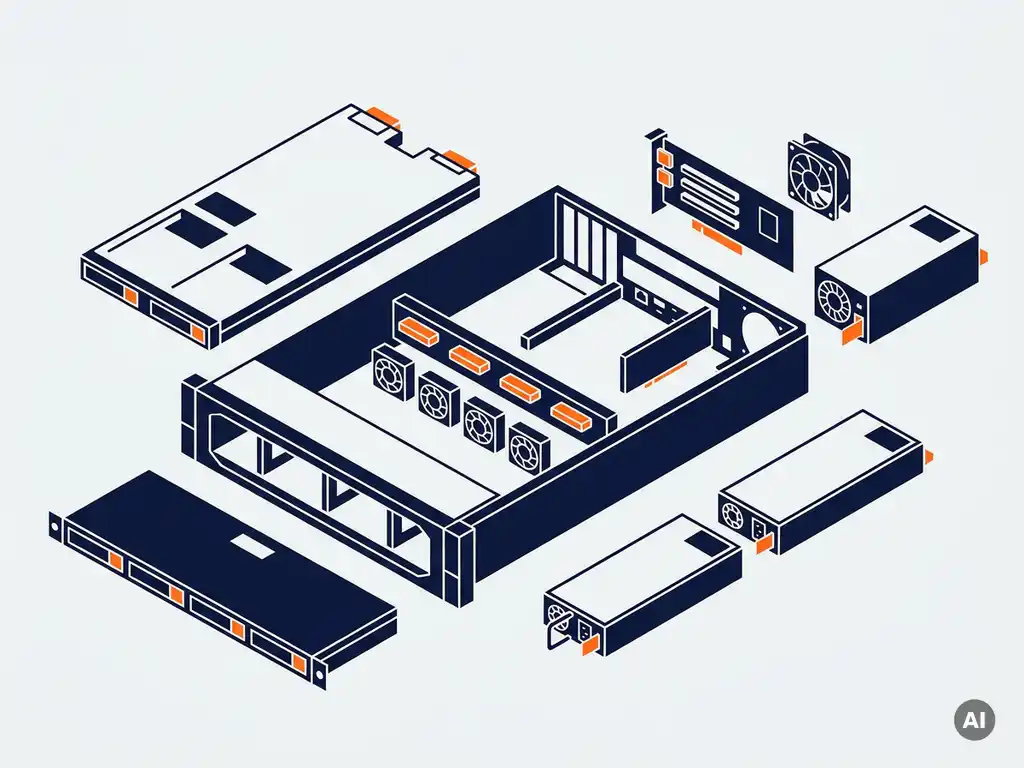
Replacing or upgrading components in HPE ProLiant servers is a practical way to extend the lifespan of your infrastructure without investing in entirely new hardware. Whether you are adding memory, swapping a failed drive, or upgrading a network card, getting the process right from the start saves you time, money, and the frustration of incompatible parts sitting unused on a shelf.
This guide walks you through every stage of sourcing and installing HPE ProLiant replacement parts, from preparing your documentation to validating the hardware after installation. Follow these steps in order and you will have a reliable, tested upgrade with minimal downtime.
What do you need before sourcing ProLiant parts?
Before you search for any HPE server parts, gather the information that determines what will actually work in your system. Skipping this step is the most common reason buyers end up with incompatible components.
- Server model and generation: For example, ProLiant DL380 Gen10 and Gen10 Plus use different memory and storage controllers despite looking similar.
- Current hardware configuration: Pull a full inventory using HPE iLO, the Intelligent Provisioning tool, or the Smart Storage Administrator utility.
- Slot availability and population rules: HPE ProLiant servers enforce memory population rules. Installing DIMMs in the wrong slots causes the server to boot at reduced performance or not at all.
- Power supply headroom: Adding GPUs, additional drives, or high-wattage CPUs requires confirming your PSU can handle the increased load.
- Warranty and support status: If the server is under an active HPE support contract, adding non-HPE-branded components may affect your entitlement. Know your position before you buy.
Once you have this information documented, you are ready to search for compatible components with confidence rather than guesswork.
How do you identify compatible components for your ProLiant model?
HPE publishes detailed compatibility data for every ProLiant generation, and using it correctly is the most reliable way to confirm that a part will work before you buy it.
- Visit the HPE QuickSpecs portal and search for your exact server model. QuickSpecs documents list every supported option part number for memory, storage, networking, and expansion cards.
- Cross-reference the HPE option part number (OPT) with the component you are considering. Refurbished and third-party ProLiant-compatible components are often sold under the OEM part number, so matching these numbers is straightforward.
- Check the HPE Single Point of Connectivity Knowledge (SPOCK) database if you are adding storage devices or host bus adapters. SPOCK confirms which drive and controller combinations HPE has validated.
- For networking components such as optical transceivers, confirm the switch and NIC combination is supported. HPE SmartFabric and FlexFabric switches may lock out unrecognized transceivers unless you configure them to accept third-party optics.
After this step, you should have a list of validated part numbers that are confirmed to work with your specific ProLiant model and generation. Keep this list handy when you contact suppliers.
How do firmware and driver requirements affect replacement parts?
Firmware compatibility is where many ProLiant upgrades go wrong. HPE regularly updates the firmware requirements for components, and installing a part without the correct baseline firmware can result in the component not being recognized or performing below specification.
- Log in to HPE iLO and navigate to the firmware summary page. Record the current versions of iLO firmware, System ROM (BIOS), Smart Array controller firmware, and NIC firmware.
- Visit the HPE Support Center and search for your server model. Download the latest Service Pack for ProLiant (SPP) that matches your OS environment. SPP bundles all firmware and driver updates in a single bootable image, which simplifies the update process significantly.
- Check the release notes for the SPP version you plan to use. Some component updates require a minimum iLO firmware version before they will apply successfully.
- If you are installing a Smart Array controller or a new NIC, confirm the required driver version for your operating system. Mismatched drivers cause performance problems that are difficult to diagnose after installation.
Update your server to the recommended firmware baseline before installing the new part. This approach is far easier than troubleshooting a non-functional component after the fact and reduces the risk of a failed update mid-installation.
How do you evaluate replacement parts suppliers?
Not all suppliers of HPE ProLiant spare parts operate at the same quality level. Evaluating a supplier before you commit protects you from receiving untested, mislabeled, or counterfeit components.
What to look for in a supplier
Look for suppliers who can provide the following before you place an order:
- Part condition grading: Reputable suppliers clearly distinguish between new, refurbished, and used parts. Refurbished components should have been tested and cleaned to a defined standard.
- Exact part numbers: The supplier should be able to confirm the HPE option part number or the equivalent OEM number, not just a generic description.
- Testing documentation: Ask whether components are tested before shipping and whether the supplier can provide any test records or certifications.
- Sourcing capability: For hard-to-find, discontinued, or high-volume requirements, the supplier should have access to an international sourcing network and be willing to work through your specific requirements rather than limiting you to whatever happens to be in stock.
- References or reviews: For larger purchases, ask for references from comparable businesses or check independent reviews.
Should you consider refurbished HPE parts?
Refurbished HPE ProLiant hardware from a reliable supplier is a cost-effective and practical option for most non-mission-critical environments. The key is confirming the refurbishment process, not just the price. A well-tested refurbished DIMM or controller can perform identically to a new one at a fraction of the cost, provided it has been validated against the correct part specifications.
With a verified supplier identified, you are ready to move to the physical installation.
How do you install and validate the replacement hardware?
Installation is the step where preparation pays off. If you have completed the previous steps, you already know the part is compatible, your firmware is current, and the component comes from a reliable source.
- Power down and discharge: Shut down the server through the OS, then power it off at the iLO level. Disconnect power cables and press the power button once to discharge residual current before opening the chassis.
- Follow HPE installation guides: HPE publishes a maintenance and service guide for every ProLiant model. These guides include torque specifications, slot population rules, and cable routing diagrams. Use them rather than relying on memory.
- Seat and secure the component: Install the part firmly into the correct slot. For DIMMs, listen for the audible click of the retention clips. For PCIe cards and drives, ensure the component is fully seated and any retention screws or levers are secured.
- Reconnect and power on: Reconnect all cables, close the chassis, and power the server on. Watch the POST screen for any errors or warnings related to the new component.
- Validate in iLO and the OS: Log into iLO and confirm the new component appears correctly in the hardware inventory. Then boot into the operating system and verify the component is recognized and functioning. For storage, run a short diagnostic using the Smart Storage Administrator. For memory, use the HPE Memory Diagnostics tool.
- Run a burn-in test: For production servers, run the component under load for at least a few hours using a tool such as HPE Insight Diagnostics or a comparable stress-testing utility. This surfaces any early failures before the server returns to production.
After completing these steps, your replacement part is installed, validated, and ready for production use. Document the new configuration in your asset management system so your records stay current for future upgrades or troubleshooting.
How Easy Hardware Trading helps with HPE ProLiant server parts
Finding the right HPE ProLiant spare parts — matched to exact manufacturer part numbers, available in the quantities you need, and deliverable within your project timeline — can be a significant challenge, particularly for older generations or high-volume B2B requirements. At Easy Hardware Trading, we take a customer-driven approach to sourcing:
- Bring us your specific requirements — exact HPE option part numbers, required quantities, delivery constraints, or compatibility questions — and our team will work to source what you need, including hard-to-find and discontinued components.
- We draw on an international supplier network to explore sourcing possibilities beyond standard stock, giving you options even when components are no longer widely available.
- Our team can match part numbers to your specific ProLiant model and generation, helping you avoid compatibility issues before an order is placed.
- We support bulk orders and ongoing procurement relationships, making us a practical partner for B2B customers managing multiple servers or large-scale infrastructure projects.
- IT asset buyback services are available if you are replacing older hardware and want to recover residual value from the parts you remove.
Whether you want to buy replacement parts for your ProLiant infrastructure or sell your used HPE hardware, we are ready to help. Contact us with your requirements and we will provide a tailored quotation based on your specific server model, component needs, and delivery expectations.