
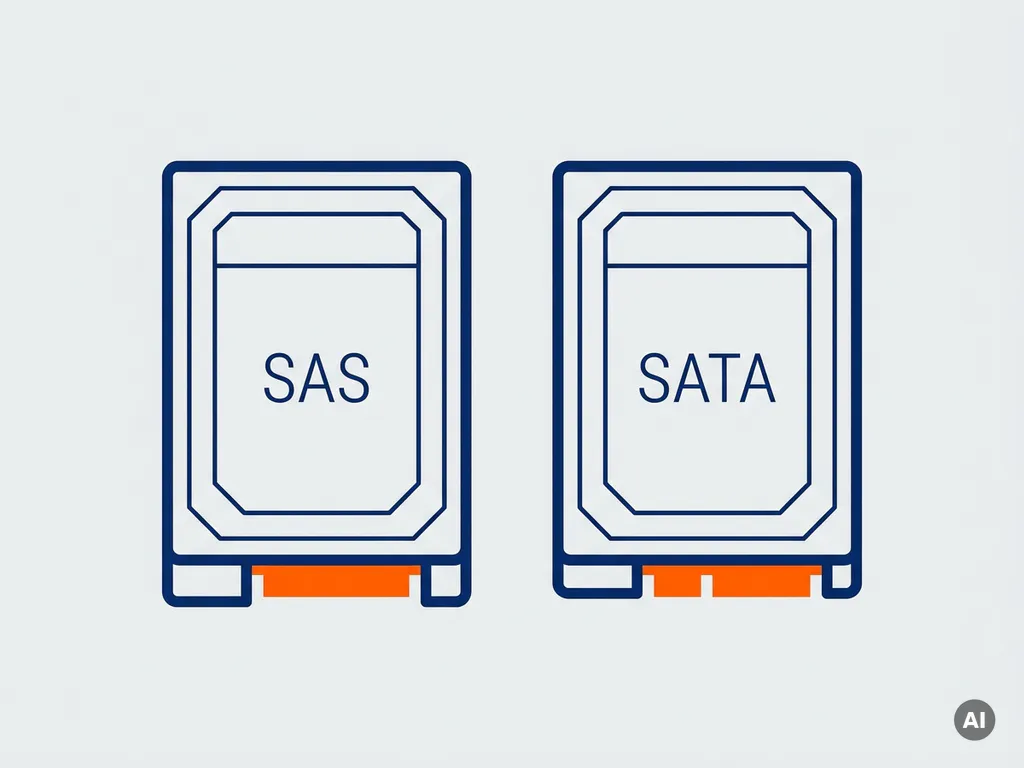
You cannot directly replace a SAS hard drive with a SATA hard drive in most server environments without careful consideration. While SATA drives can physically fit into a SAS backplane in many cases, the reverse is not true, and the performance and reliability implications of making this swap are significant. This article walks through the key questions you need to answer before making any decision about SAS vs SATA compatibility in your storage setup.
What are the main differences between SAS and SATA hard drives?
SAS (Serial Attached SCSI) and SATA (Serial ATA) hard drives differ primarily in performance, reliability, and intended use case. SAS drives are designed for enterprise environments where continuous operation, high throughput, and low latency matter. SATA drives are built for consumer and light business use, prioritizing cost and storage capacity over raw speed and endurance.
Here are the most important distinctions between the two drive types:
- Speed: SAS drives typically spin at 10,000 or 15,000 RPM, while most SATA drives run at 5,400 or 7,200 RPM. This translates directly into faster read/write operations on SAS.
- Duty cycle: SAS drives are rated for a 100% duty cycle, meaning they are built to run 24/7 without degradation. SATA drives are usually rated for much lower workloads.
- Error handling: SAS uses more advanced error recovery protocols designed to minimize downtime in a server context. SATA error recovery can cause timeouts in RAID arrays.
- Interface bandwidth: SAS supports higher data transfer rates and dual-port connectivity, allowing redundant paths to the drive controller.
- Cost: SATA drives offer significantly more storage per dollar, making them attractive for bulk or archival storage.
Are SAS and SATA connectors physically compatible?
A SATA hard drive can physically connect to a SAS backplane because SAS controllers are designed to support both interfaces. However, a SAS drive cannot connect to a SATA controller. This one-way compatibility is built into the SAS specification intentionally, giving administrators the option to use lower-cost SATA drives in SAS-capable systems when appropriate.
In practice, this means your server’s SAS backplane will recognize and accept a SATA drive in most cases. That said, physical compatibility does not equal functional compatibility. Some server firmware or RAID controllers may block SATA drives from operating in slots designated for SAS, or they may require specific configuration to allow the swap. Always check your controller’s documentation before assuming a SATA drive will simply work.
What happens to performance when you swap a SAS drive for SATA?
Replacing a SAS hard drive with a SATA hard drive will reduce I/O performance, increase latency, and lower the overall reliability of your storage subsystem. The performance gap is not marginal. In workloads involving frequent random reads and writes, such as database queries or virtualization, the difference between a 15K RPM SAS drive and a 7,200 RPM SATA drive is measurable and impactful.
Beyond raw speed, SATA drives handle error recovery differently. When a SATA drive encounters a read error, it may attempt recovery for several seconds before reporting the failure. In a RAID configuration, this delay can cause the controller to drop the drive from the array entirely, triggering a rebuild and putting your data at risk. SAS drives report errors quickly and cleanly, which is why they remain the preferred choice in enterprise RAID setups.
If your server handles moderate or light workloads, the performance difference may be acceptable. For high-transaction environments, making this swap without planning can lead to noticeable slowdowns and increased risk of storage failures.
When is replacing a SAS drive with SATA actually acceptable?
Replacing a SAS drive with a SATA drive is acceptable when your workload is read-heavy, sequential, or low in I/O intensity, and when cost reduction or capacity expansion outweighs the need for peak performance. Common scenarios where this trade-off makes sense include backup servers, archival storage, media file repositories, and development environments.
Consider making the switch to SATA when the following conditions apply:
- The server is not running latency-sensitive applications like databases or virtual machines with heavy disk activity.
- You need to expand storage capacity significantly and budget is a constraint.
- The drive will not be part of a RAID array where SATA error recovery behavior could cause issues.
- The system is used for cold storage or infrequent access rather than continuous operation.
In production environments running business-critical applications, replacing SAS with SATA is generally not recommended without a thorough review of workload requirements and RAID controller compatibility.
What should you check before installing a SATA drive in a SAS slot?
Before installing a SATA hard drive in a SAS slot, you need to verify controller compatibility, RAID configuration support, firmware settings, and physical drive caddy dimensions. Skipping any of these checks can result in the drive not being recognized, the RAID array degrading, or data loss.
Work through this checklist before proceeding:
- Controller documentation: Confirm that your SAS HBA or RAID controller explicitly supports SATA drives. Not all controllers allow mixed-drive configurations.
- Firmware version: Make sure the controller firmware is up to date. Older firmware versions sometimes block SATA drives even when the hardware supports them.
- RAID mode compatibility: Check whether your RAID level supports mixing SAS and SATA drives. Many controllers allow this, but performance will be limited to the slowest drive in the array.
- Drive caddy or tray: SAS drive trays and SATA drive trays look similar but may differ in connector position or locking mechanism. Use the correct caddy for your enclosure.
- Duty cycle and workload rating: Review the SATA drive’s workload rating to confirm it matches your expected usage. Consumer-grade SATA drives are not suitable for server environments.
Should you use a refurbished SAS drive instead of switching to SATA?
In many cases, using a refurbished SAS hard drive is a better option than switching to SATA, because it lets you maintain the performance and reliability characteristics your server was designed for while still managing costs. A quality refurbished SAS drive from a reputable supplier will outperform a new SATA drive in server workloads, making it worth exploring before committing to a different drive type.
Refurbished SAS drives are particularly worth considering when:
- Your server runs production workloads that depend on consistent I/O performance.
- You are replacing a failed drive in an existing RAID array and want to avoid mixing drive types.
- Your RAID controller does not support SATA drives or has known issues with mixed configurations.
- You want to extend the life of an existing server without a full infrastructure upgrade.
When sourcing refurbished SAS drives, look for suppliers that test drives thoroughly and can confirm the drive’s health history. Prioritize partners who can match exact manufacturer part numbers and fulfill the specific quantities your environment requires.
How Easy Hardware Trading can help with your hard drive upgrade
If you are weighing whether to replace a SAS drive with SATA or source a refurbished SAS alternative, we can help you find the right solution for your specific server environment. At Easy Hardware Trading, we work with an international supplier network to fulfill specific customer requirements — whether you need an exact manufacturer part number, a discontinued model, a bulk order, or a hard-to-find enterprise component.
Here is what we offer to support your storage decisions:
- Customer-driven sourcing: Bring us your hardware requirements and our team will explore sourcing possibilities across our international supplier network to find what you need.
- Refurbished SAS drives tested and verified, giving you enterprise performance suited to your workload.
- IT asset buyback if you are retiring old SAS hardware and want to recover value from it.
- Multilingual support from our international sales team if you need guidance on compatibility, availability, or sourcing.
Whether you want to buy server storage that fits your workload, or you are looking to sell your existing SAS drives before upgrading, we make the process straightforward. Contact us with your requirements — including part numbers, quantities, and delivery needs — and we will provide a competitive quote tailored to your setup.
Related Articles
- Refurbished server processors: Reliability, performance and cost considerations
- What is the difference between SAS SSD and SATA SSD drives?
- What is ECC server memory and why is it important?
- How do I know which RAM modules are compatible with my server?
- What is the difference between SAS and SATA hard drives for servers?